
Advanced Instant Win
Advanced Instant Win#
Extends the core Instant Win system with pre-selected winning tickets, separate prize configuration, and hybrid mode. See the Instant Win documentation for full details.
Enabling#
- Enable Instant Win in the core raffle settings first.
- In the PRO Features section, check Instant Win: Pre-selected for pre-selected ticket features.
- The IW prize configuration section appears automatically when Instant Win is enabled.
Pre-selected tickets#
Designate specific ticket numbers as guaranteed instant winners:
- Manual entry: Type comma-separated ticket numbers (e.g.,
0001, 0015, 0042). - CSV import: Upload a CSV with
ticket_number,prize_tierper line. The tier column is optional (defaults to 1). - Clear all: Remove all pre-selected tickets with one click.
Ticket number matching handles zero-padding automatically — 0042 and 42 are treated as the same ticket.
Prize tier labels#
Configure up to 5 cosmetic tier labels for the frontend:
| Field | Description |
|---|---|
| Tier Label | Display name (e.g., “1st Prize”, “Runner Up”) |
| Tier Description | Prize details (e.g., “£500 cash prize”) |
Separate IW prize configuration#
When Instant Win is enabled, a new IW Prize section appears in the product panel with its own prize type, independent of the main draw:
| Setting | Description |
|---|---|
| IW prize type | Product from store, Store credit / Coupon, or Custom |
| IW prize products | WooCommerce product search per tier (1-5) — only visible when type is “Product” |
| IW credit amounts | Credit/coupon amount per tier — only visible when type is “Store credit” |
| IW descriptions & values | Custom prize text and display value per tier — only visible when type is “Custom” |
| Auto-fulfill IW prize | Automatically create a free prize order or credit coupon for instant winners |
When configured, instant winners receive prizes from the IW config. Main draw winners receive prizes from the core config. If no IW prize type is set, both share the core config (backward-compatible).
Two chances to win#
In hybrid mode (instant win + end-date draw both active), a “Two chances to win” checkbox appears:
- Enabled: Instant win tickets keep
'active'status and remain eligible for the main draw. The ticket holder can win an instant prize AND potentially win the main draw. - Disabled (default): Instant win tickets get
'winner'status and are excluded from the main draw pool.
This toggle is hidden in IW-only mode (no main draw to stay eligible for).
Frontend display#
When separate IW prizes are configured, the product page shows two sections:
- Instant Win Prizes — tier cards with actual prize data (product names, credit amounts, or descriptions).
- Main Draw Prize — heading above the core prize display (hidden in IW-only mode).
When no separate IW config exists, the original cosmetic tier cards display instead.
Admin labelling#
When Instant Win is enabled in hybrid mode, the core prize section in the product panel is labelled “Main Draw Prizes” to clearly distinguish it from the IW prizes above.
Tier winner counts and drawing numbers#
Since Pro 1.1.5 each prize tier has a Tier N winners field. Set how many prizes the tier holds (for example 1 for the £250 prize, 2 for £150, 5 for £50, 10 for £10), then click Draw winning numbers.
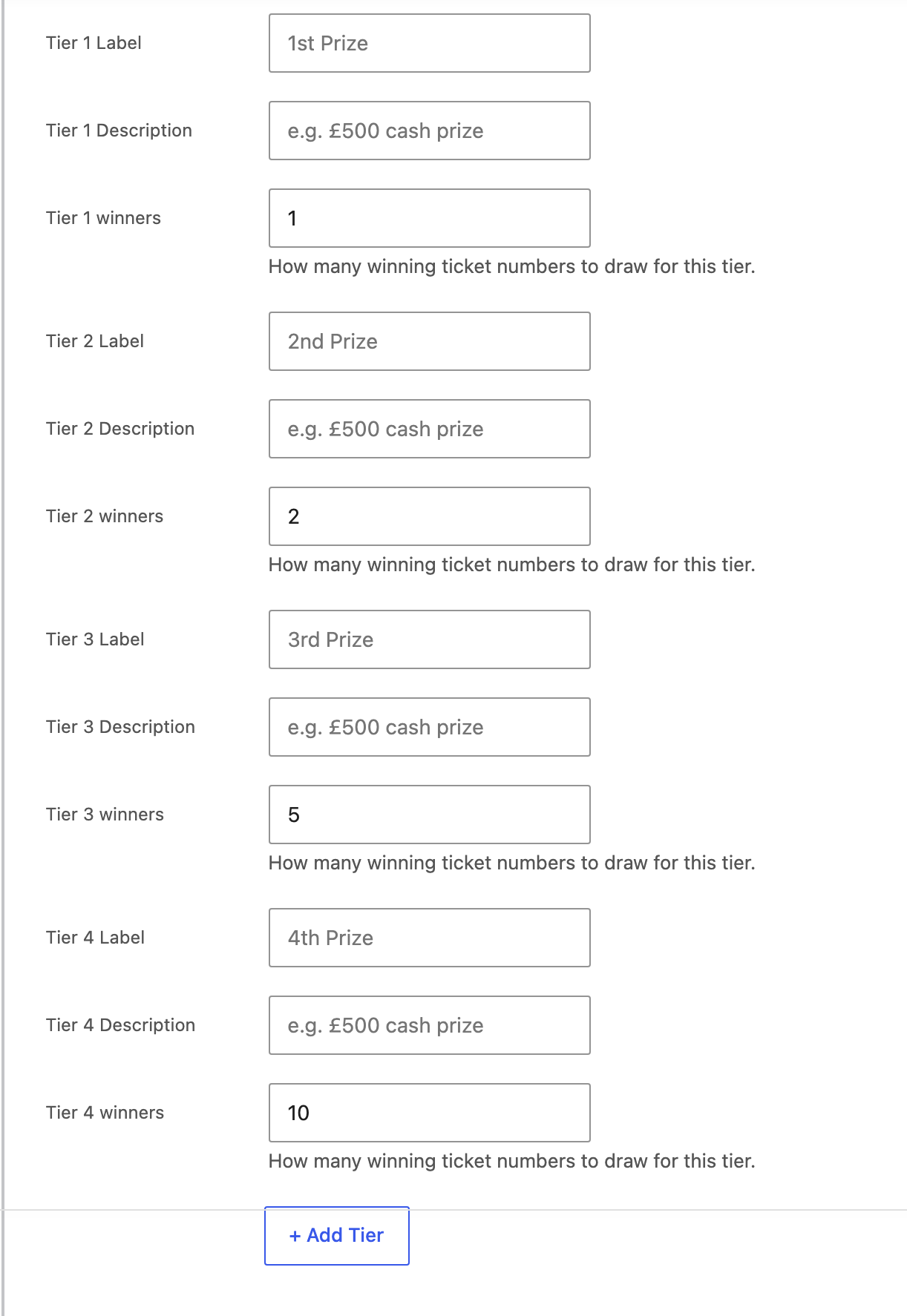
Step by step:
- Edit the raffle and open the Raffle Data tab.
- Tick Enable Instant Win, then tick Instant Win: Pre-selected. The tier rows and the number list appear below it. With pre-selected on and numbers in the list, only those numbers win. The probability or guaranteed setting above is ignored (since Pro 1.1.7).
- Give each tier a label if you like (1st Prize, 2nd Prize) and put the prize text in the IW prize fields further down (Custom, Product, or Store credit).
- Enter the winners count on each tier. Click + Add Tier for tiers that are hidden.
- Click Draw winning numbers, then Update to save the product.
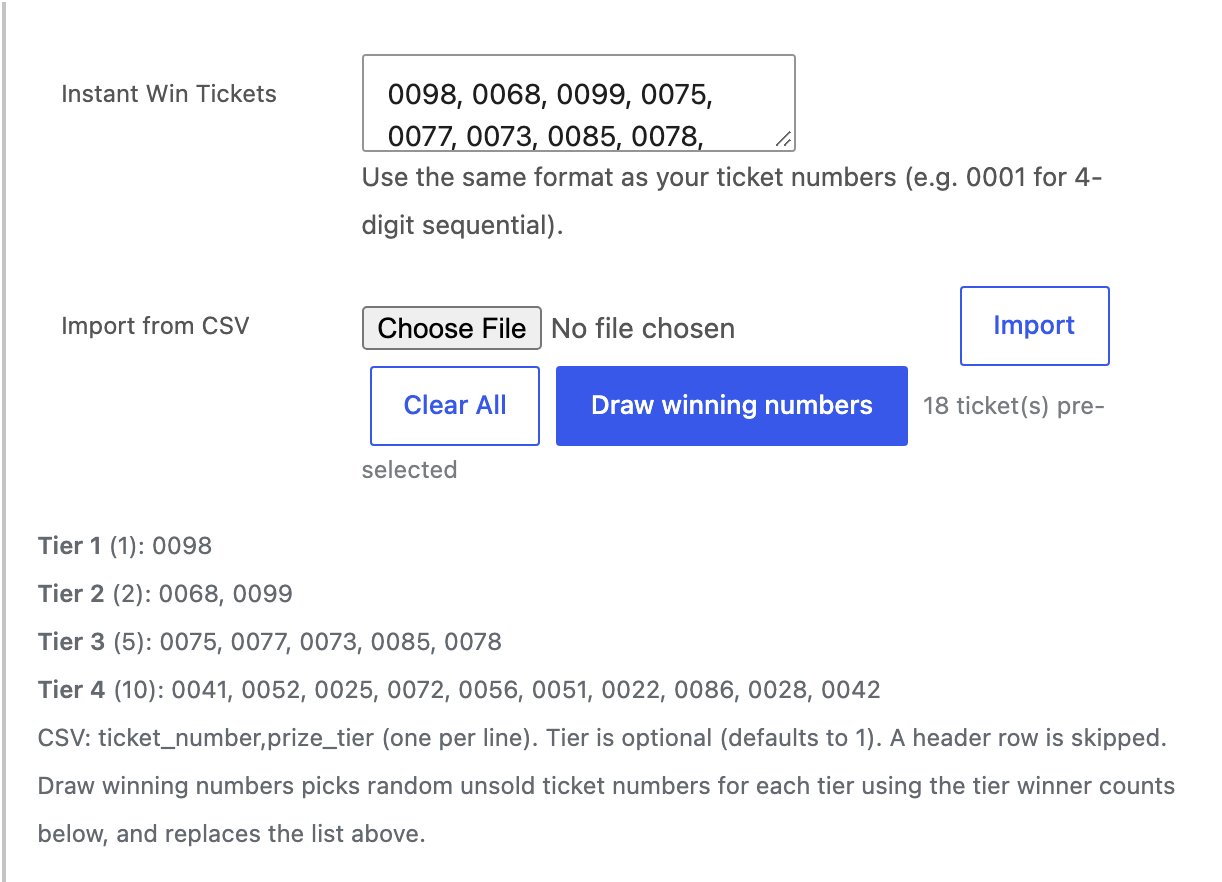
The draw:
- Picks that many random unsold ticket numbers per tier from the raffle’s pool.
- Skips numbers that already have a ticket, so a mid-raffle draw never lands on a sold ticket.
- Replaces the current pre-selected list (you are asked to confirm when a list exists).
- Ticks Instant Win: Pre-selected for you.
The draw needs a fixed Total tickets and one of these ticket formats: Sequential, Alphabet, or Random from pool. The Random (A7X9B2) format has no fixed pool, so the button reports an error there.
Errors you can hit: more numbers requested than unsold numbers left, no total ticket count, all winner counts at 0.
Each draw is written to the raffle activity log with the numbers picked.
Testing before launch#
Test orders create real tickets and real winner records. Cancelling a test order keeps a winning ticket and its winner record, so the tier cards keep counting that prize as won. Run your tests on a copy of the raffle (Products > Duplicate), then launch the untouched one and click Draw winning numbers on it.
Under the number list a breakdown shows which numbers sit on which tier, with the tier label. It updates after a draw, a CSV import, or Clear All.
Importing numbers from a CSV#
If you prefer to pick the numbers yourself, upload a CSV with one ticket per line as ticket_number,prize_tier, for example:
ticket_number,prize_tier
0005,1
0010,2
0011,2
A header row is skipped, so a spreadsheet export works as is. Numbers must match the raffle’s ticket format (0005 for a four-digit sequential raffle, A05 for alphabet). The tier column is optional and defaults to 1. Importing again updates the tier of numbers already in the list and keeps the rest.
Counts on the product page#
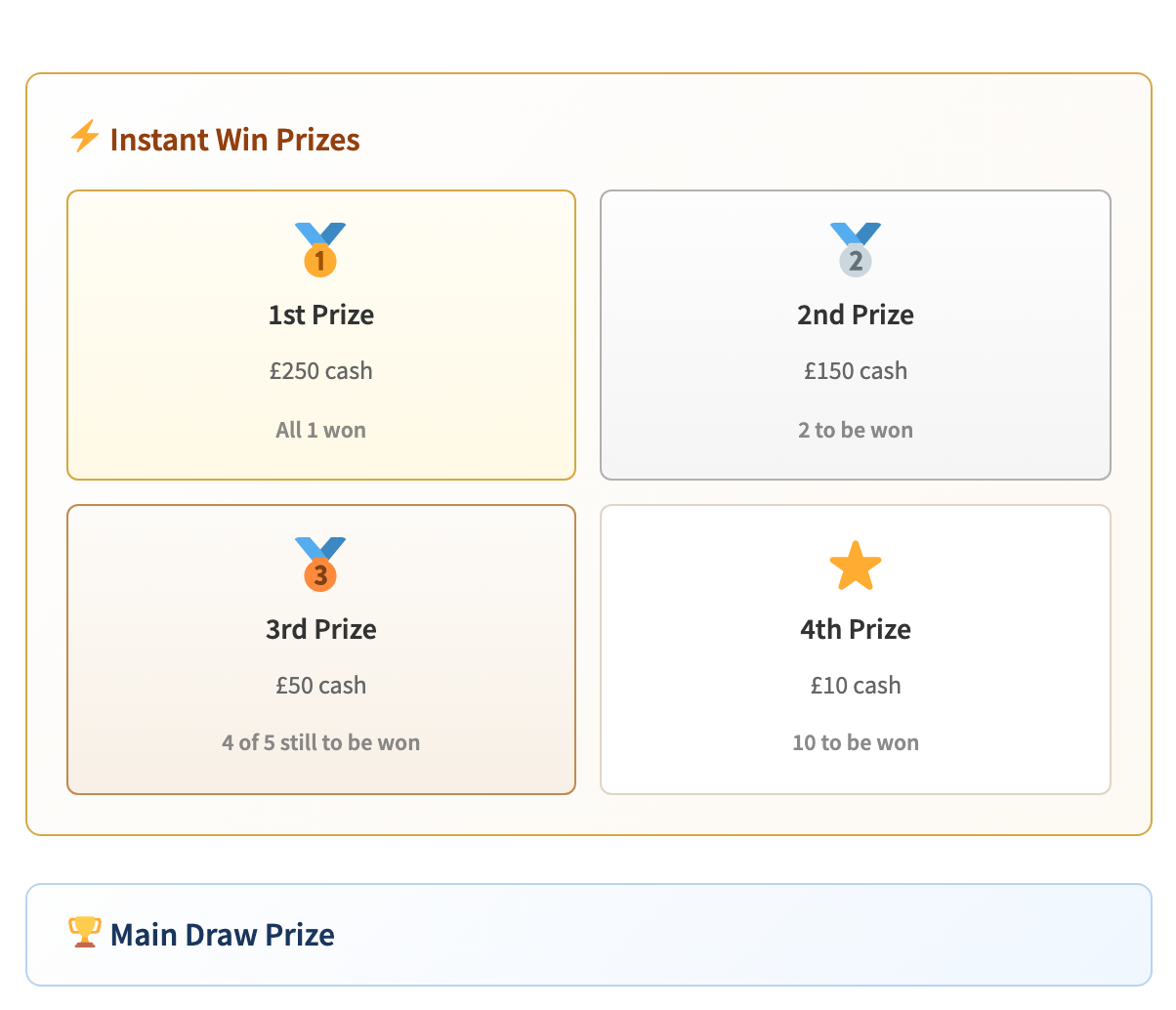
Tier cards show “5 to be won” from the winner count. After prizes are claimed the card reads “3 of 5 still to be won”, and “All 5 won” once the tier is used up. Both the cosmetic tier cards and the separate instant win prize section show the count.
Order repair#
If an order ends up with fewer tickets than the quantity bought (for example an order placed on Pro 1.1.3 that hit the instant win checkout error), the order screen offers Generate missing raffle tickets in the Order actions dropdown. It only appears when an order is short.
Running it creates only the missing tickets, using the raffle’s numbering, gift recipients, instant win evaluation, and ticket emails the same way a normal purchase does, then adds an order note listing the new numbers. Running it again does nothing.